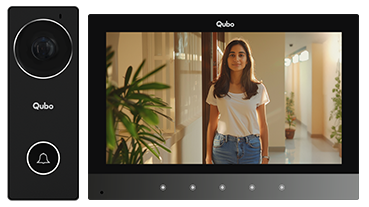

It can support max Micro 128GB class 10 SD cards. It is recommended to format the SD card through system settings before using it.
Up to 50 snapshots.
Refer to User Manual pages 9 and 10 for connection steps.
The monitor supports:
- Max 2 Doorbells
- 2 Analog CCTV Cameras
- 2 NC Type Sensors
- 2 Locks
Monitoring: 30s, Call: 30s, Talk: 60s.
Yes, in “Leave Home” mode.
Monitor stays muted, but images/videos can be silently stored if Auto Record is enabled.
You can save either images or videos for Auto Recording or Motion Detection. Refer to the Settings Menu in the User Manual.
Yes, if at least two monitors are connected. Refer to the Intercom section in the User Manual.
The device can loop monitor all connected door units and CCTV cameras. Image/video is saved based on selected duration. Sequence: Door1 → Door2 → CCTV1 → CCTV2 → Door1. It skips any device that is not connected. Refer to page 21 of the User Manual.
6 built-in tones are available. You can add up to 20 custom .mp3 files (max 15MB each) in the “music” folder on the SD card. Refer to the Volume section in the User Manual.
Yes, Door and Gate unlock time (1–60s) can be adjusted. It is recommended to set max 3s for RIM lock to avoid relay damage.
Alarm sounds for 1 minute, recording for 10s starts if Auto Record is enabled, and an alert appears on screen.
Yes, enable Sleep Mode to mute the monitor.
Yes, a manual snapshot button is available during calls.
No, only use the provided adapter to prevent damage.
Use a soft dry cloth. Avoid water or cleaning sprays.

How to Install Instaview Edge